Trending Diwali CapCut Template – During Diwali, everyone loves to share their photos and videos in a creative way. To make this easier, a beautiful festive template is available on CapCut, allowing you to transform your ordinary clips into eye-catching videos. It features a combination of lighting effects, music, and smooth transitions, making the final video look visually appealing. The best part is that you don’t need to spend hours editing. You can easily create your own Reel by selecting a few photos or short video clips. If you’d like to try something new this Diwali, you’ll find the template link and a step-by-step guide below.
Details Of Trending Diwali Capcut Template Link
This Diwali, a creative video-editing style is becoming popular on CapCut, especially among Instagram Reels creators. It features a festive atmosphere, colourful lights, and scenes that change in sync with the music. With this template, you can create a beautiful festive video by combining your Diwali photos and short video clips. Most of the editing work is already done for you, so you don’t have to do much yourself. Simply select your files and add them to the required slots.
Latest Happy Diwali CapCut Templates For Instagram Reels
During Diwali, you can find creative Reels on Instagram featuring sparkling fireworks, beautiful backgrounds, and scenes that change in sync with the beats of the music. If you’d like to create similar videos, you can try festive templates on CapCut. These templates may include different effects, such as slow motion, flash effects, and smooth transitions. You can create a beautiful Reel by adding clips of special moments with friends, home decorations, and Diwali celebrations. The best part is that you don’t need any special editing skills to get started.
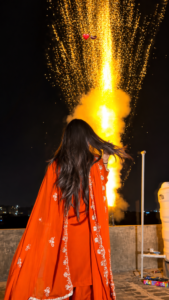
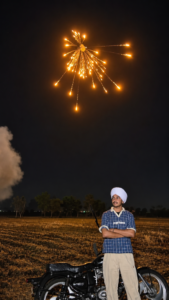
How To Use Trending Diwali Capcut Template
If you want to create a Reel using this Diwali CapCut template, the process is quite simple. First, open the template link given below. It will take you to the template in CapCut. Then, tap Use Template and select the photos or video clips you want to use from your gallery. After adding your files, preview the video to check how it looks. Once you are satisfied with the result, tap Export to save it. Your Diwali Reel is now ready to share on Instagram.
Explore New Diwali CapCut Video Editing Styles
If you’re bored with the same kind of Diwali videos every year, why not try some new editing styles this time? CapCut offers plenty of creative styles to choose from, such as cinematic effects, beat sync, quick cuts, and smooth slow motion. You can select any style you like to give your video a unique touch. These editing styles can look particularly beautiful with night-time photos, fireworks pictures, and clips featuring traditional outfits. With a little creativity, you can create an attractive Reel that encourages viewers to watch until the end.
How To Make Diwali Videos With Photos And Clips
You don’t need expensive cameras or professional equipment to create a beautiful video of your Diwali memories. Photos and short video clips captured on your mobile phone are more than enough. Choose some of your favourite photos from your gallery and add short clips of puja ceremonies, decorations, and celebrations. Next, arrange all the files in your preferred order in CapCut and choose suitable background music. You can also make colour adjustments and add subtle effects to enhance your video. Finally, preview your edit and export the video in high quality.
Conclusion
If you want to turn your memories into a beautiful Reel this Diwali, this CapCut template could be a great choice. It allows you to showcase your favourite photos and video clips in a fresh and creative way without spending too much time editing. The instructions for using the template are also explained above. Now, select your favourite photos and clips, arrange them, and create your video. Once you’re happy with the result, share your Reel on Instagram. I hope you found this information helpful!